Dashboard
Dashboard is a MapStore tool integrated in GeoNode that provides the user with a space to add many Widgets, such as charts, maps, tables, texts and counters, and can create connections between them in order to:
Provide an overview to better visualize a specific data context
Interact spatially and analytically with the data by creating connections between widgets
Perform analysis on involved data/layers
To build a new Dashboard go to Add Resource option on the All Resources page and choose option Create dashboard or select New option on the Dashboards page
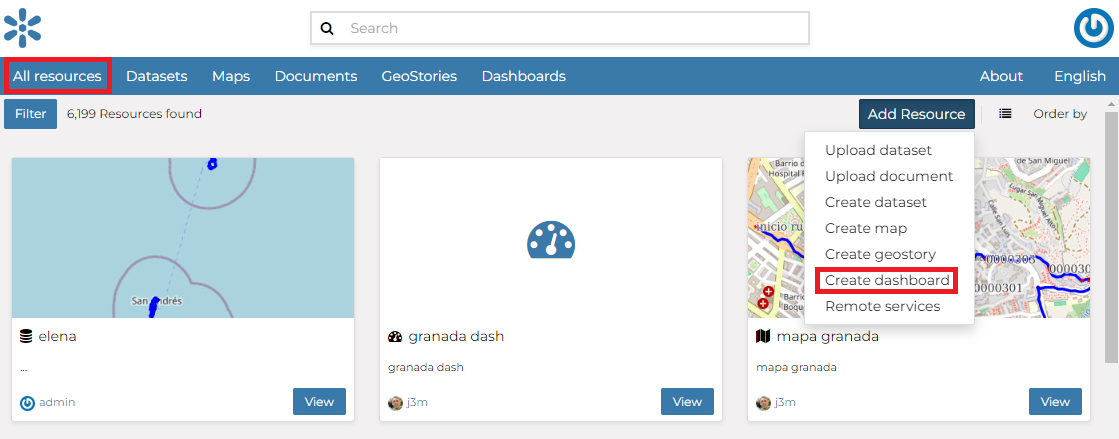
Create dashboard from All Resources page
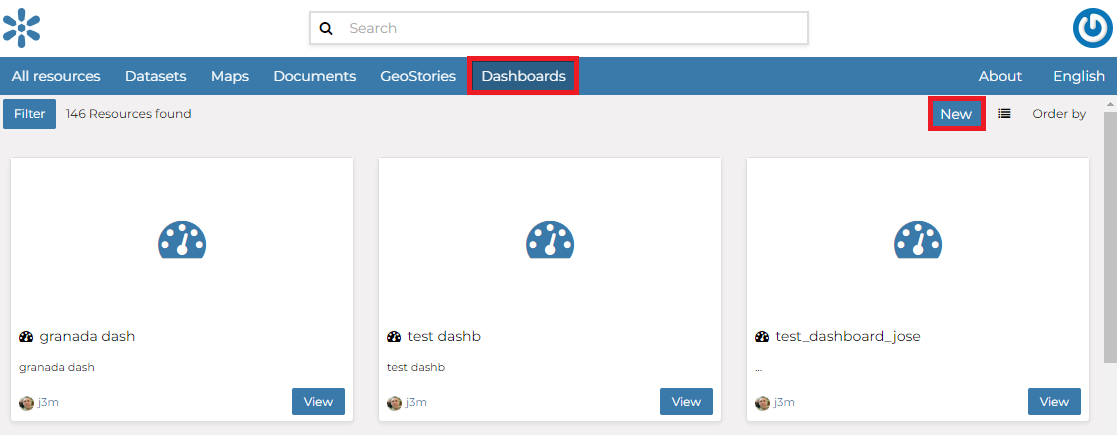
Create dashboard from Dashboards page
Now you landed on the Dashboard edition page that is composed of the following sections:
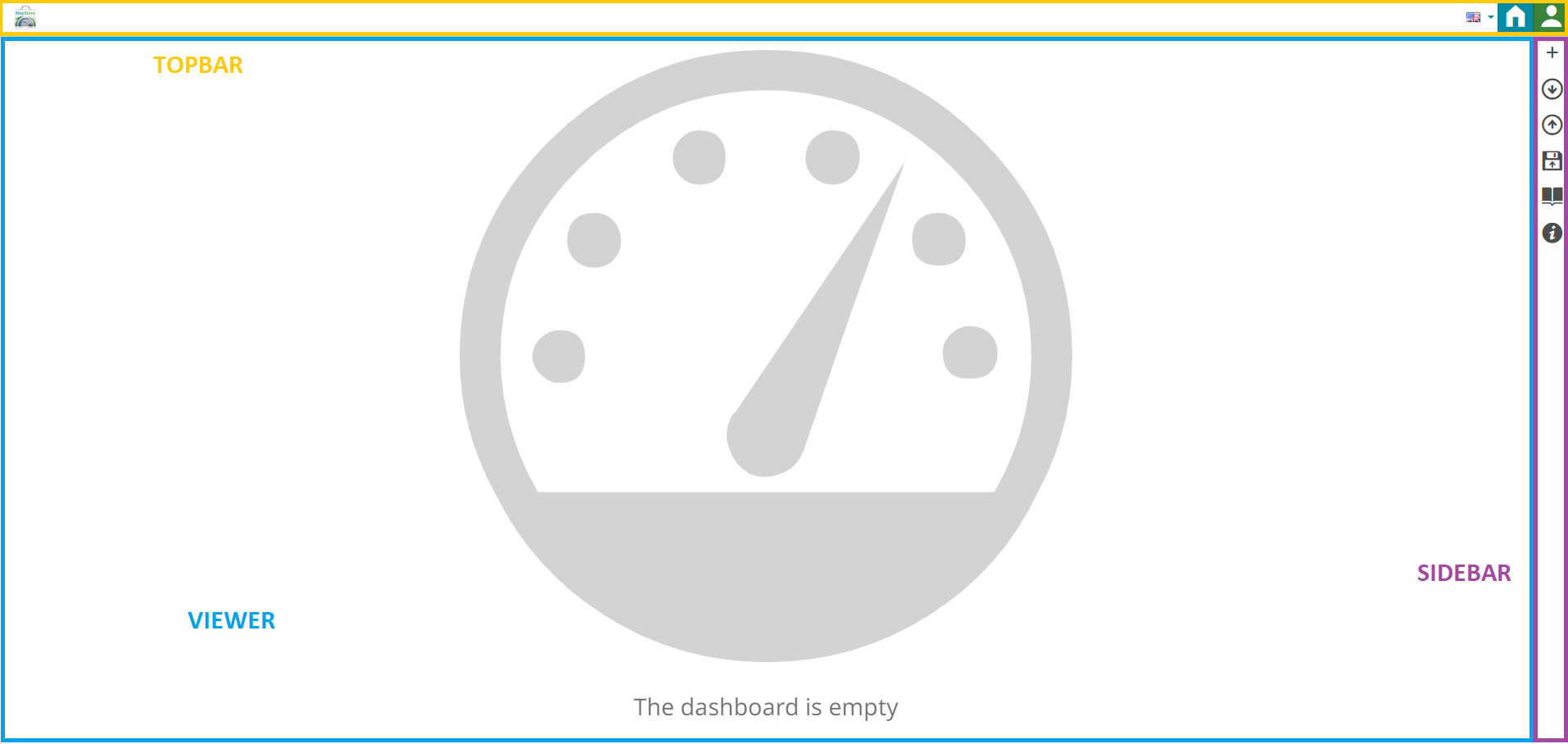
New Dashboard Apps option
Further Reading
Follow the link below to get more detailed information about the usage of Dashboard.